NSX Manager SSL Certificate
Detailing the process of replacing SSL Certs in NSX
I am in the process of yet another homelab rebuild. (Yep, it’s that time again.) During this process, I have wiped the entire lab and restarting from scratch.
A new vCenter 6.7 U3 appliance has been deployed and installed and the focus has been moved onto the deployment and setup of NSX Datacenter for vSphere v6.4.6 (formerly known as NSX-V). The deployment of the appliance was textbook, this article will focus on something that to me seemed really odd - the application, or lack thereof, of the placing of the SSL Certificate.
For this environment and scenario, I am utilizing a linux based Certificate Authority – not a Microsoft Certificate Authority. This particular CA does not accept the individual product CSR in creating the individual certificate for the individual product, therefore I created a PKCS12 SSL Chain Cert for NSX Manager. This is not the issue I am writing about.
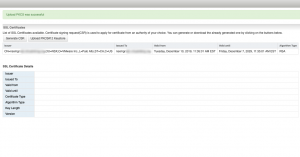
However, i discovered that when I went to go import the PKCS12 cert, NSX Manager would fail to replace the built-in self-signed certificate - even though it showed that the certificate was successfully uploaded. (Yes, subsequent reboots still did not change the status.) This is the issue, and the reasoning for this article.
I figured there had to be a way to import this cert via command line somehow. (Unfortunately, google did not supply me this method.) I reached out to a few of my NSX colleagues who suggested I look at implementing the cert via the NSX API.
Just for reference, here are the links I used:
- VMware NSX Documentation to import the SSL certificate
- VMware NSX 6.4 API Documentation
- External Blog post from Manish Jha on managing SSL Certs using the API
NOTE: While this should not be needed, proceed with caution.

I’m not one for digging into the API, and therefore, I was hesitant. But hey, this is my lab, and it’s here for my destruction… er, learning. I would recommend that you do not attempt this type of work ‘laissez-faire’.
On page 166 of the NSX 6.4 API doc, I found what I was looking for. The doc provided the command that I needed to run in order to import the cert via the API.
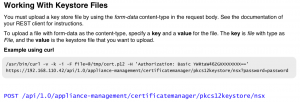
While you can utilize postman, or another API manipulation tool to run this command, I did it in the MAC terminal on my machine (with a small aid from postman). To take a shortcut here, instead of going through the rigamarole of trying to get the authorization token via command line, I used postman to retrieve it. I then ran the following command to force the import using the NSX API:

After the certificate was imported, I then rebooted the appliance and checked the status of the certificate.
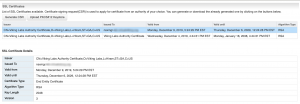
All was well.